ONE DASH. ONE SKILL. YOUR MOMENT.
BumpDojo dash
& skill timing.
Watch your position. Watch the contact.
Then spend the move you only get once.
Four controlled recordings from Classic rules m2-sat-2. Examples to inspect, not a promise of a winning time.
Near the edge?
Look at the direction.
An inward dash changes outward motion. Compare one dash at 2 seconds with waiting.
Open the edge case → 02 / CONTACTUsing Anchor?
Look at its window.
O’s brake and inward pull last 1.2 seconds. Compare two skill times with the same dash.
Open the Anchor case →WATCH & SCRUB
Replay the recorded positions.
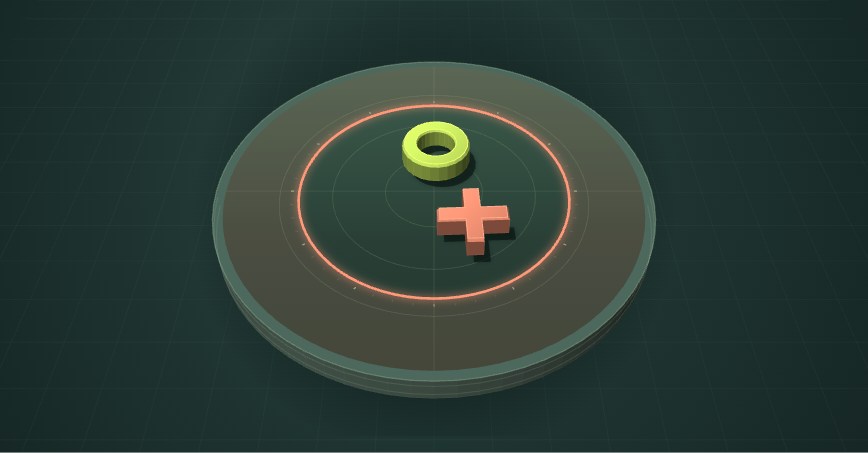
This is a top-down position diagram of saved states, not a new physics simulation. The game itself keeps its 3D perspective view. States are sampled about every 0.033 seconds, with extra action and final states.
TOP-DOWN DIAGRAM · RECORDED STATES ONLY
Choose a recording to inspect its positions.
Moves will appear here as the recording reaches them.
The optional replay is loading. Screenshots and case details below are always available.
Keyboard: Tab to a control, Space or Enter to play/pause, and arrow keys on the time slider. Dragging the slider or switching recordings pauses playback. Leaving this tab also pauses it.
01 / DASH INWARD
A dash can change your direction.
At 2.00 seconds, the + player is near the edge and moving outward. Its center is about 4.992 units from the middle; the safe radius is still 5.15. A dash sends it toward the center. In this pair, the only changed player input is that one dash.
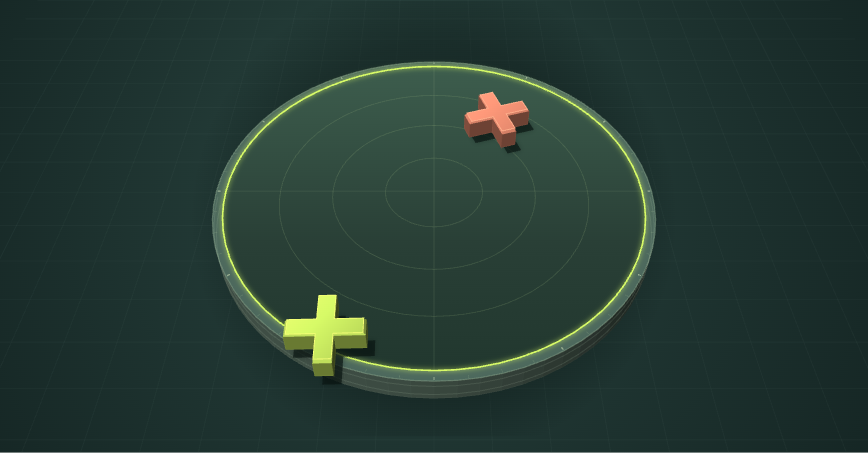
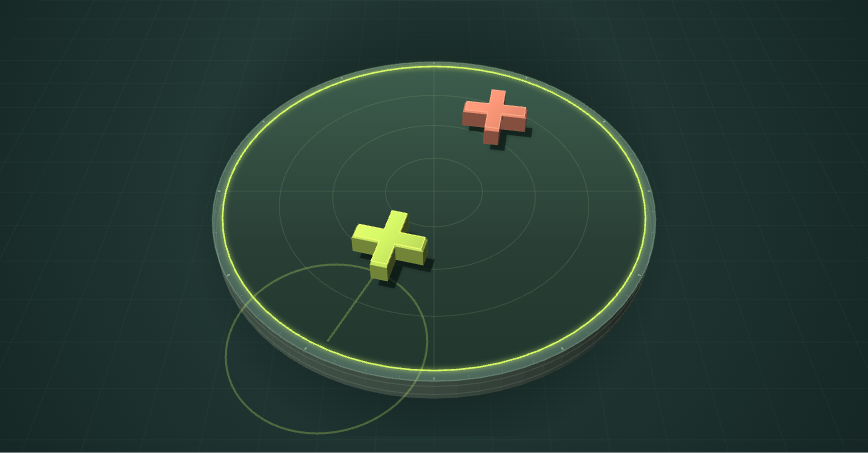
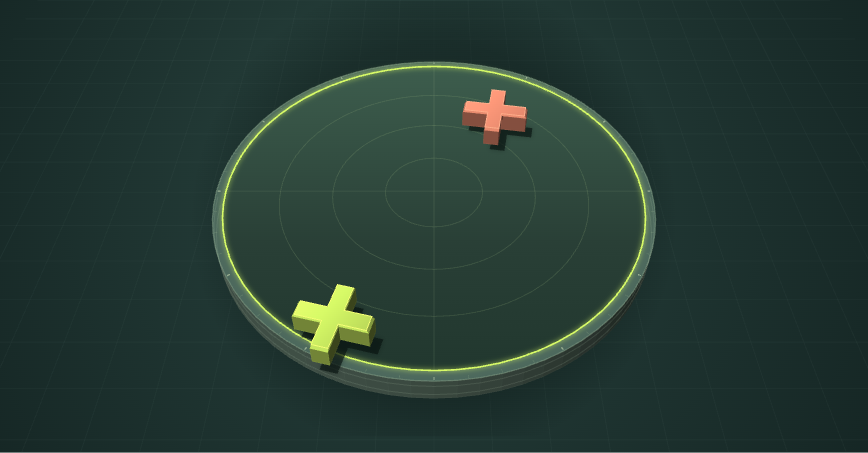
Watch direction as well as distance. At the dash moment, radial velocity changes from about +0.329 units/s outward to −4.800 units/s inward. That is the immediate movement change to inspect. It does not guarantee a ring-out escape or a win.
| Player input | Recorded outcome | End time |
|---|---|---|
| Dash at 2.00s; no skill | Player win · spin-out | 4.017s |
| No player moves | CPU win · spin-out | 4.700s |
Both edge recordings end by spin-out, not by ring-out. The player wins the dash sample; the CPU wins the waiting sample. Two deterministic examples are not a win-rate study.
02 / O’S ANCHOR
The skill lasts for a window.
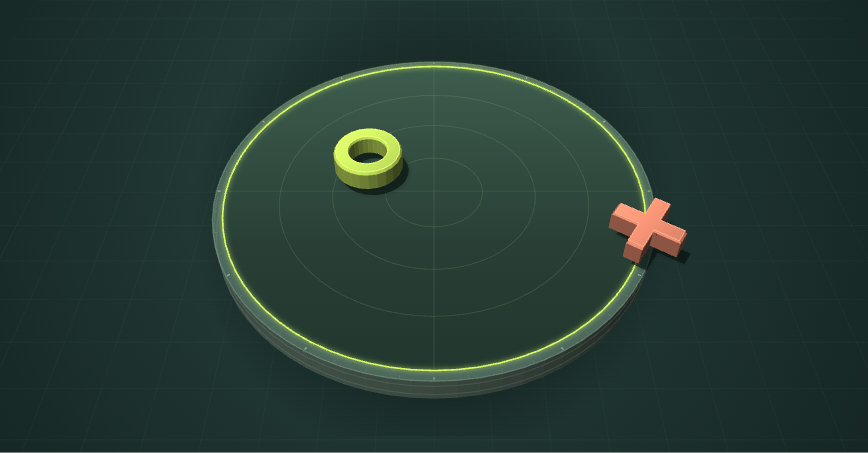
O’s Anchor brakes motion and pulls inward for 1.2 seconds. Here, both recordings use the same O vs X setup and dash at 2.00 seconds. Only the skill time changes: 0.35 seconds or 1.25 seconds.
Starts before the first contact in this recording.
Starts after the first contact; its window overlaps the 2.00s dash.
| Player skill time | Recorded outcome | End time |
|---|---|---|
| Anchor at 0.35s; dash at 2.00s | Player win · ring-out | 2.800s |
| Anchor at 1.25s; dash at 2.00s | Player win · spin-out | 13.292s |
Both timings win these samples. Later is not automatically better. Compare where each top is when the 1.2-second window begins and ends, then choose what to try in your next round.
YOUR NEXT ROUND
Try the setup.
Choose your own moment.
The links prefill the two existing Classic configurations. You still press Launch and choose every move yourself; recordings do not run in your match.
On a keyboard
SPACE launches when ready, then dashes once during play. E uses your shape skill once. ESC pauses; R resets.
On touch
Use Launch battle, then the Dash inward and shape skill buttons below the arena. Aim with the slider or drag in the arena before launch.
Read the examples fairly.
What these recordings show
These are four automated, controlled state recordings from the public Classic build on 22 October 2026, captured under rules m2-sat-2. The screenshots are unedited exports of its actual game canvas. The optional player shows the recorded positions and rotations using the game’s own shape outlines; O keeps its open center.
Each pair shares its starting configuration and the same deterministic CPU policy. The edge pair changes one player dash. The Anchor pair fixes the dash time and changes only the skill time. CPU move times may then differ because the CPU responds to the changed state. No player skill is used in the edge pair.
These are not human playtests, a video recording, a balance survey, or a strategy guarantee. They do not establish which shape or timing is best. Human input timing and browser scheduling may differ from the captured steps.
Which rules matter for timing?
Each side gets one inward dash and one shape skill. The safe radius begins at 5.15 units, starts shrinking at 4 seconds, and reaches 2.8 at 16 seconds. Ring-out is based on the top’s center, not its outer tip.
A top also loses when its absolute spin remains below 1.05 radians/s for 0.9 seconds. A same-step double-out or a 30-second limit is a draw. The CPU uses the same moves with deterministic triggers, disclosed in the arena’s full rules. The game remains experimental 2D arcade physics viewed in 3D.
Privacy & optional analytics
This guide has no accounts or match uploads. Replays read static records from this site. Optional Google Analytics loads only on bumpdojo.com after you accept, with a choice lasting up to 30 days. It records the guide’s canonical page and two named interactions: replay play and opening a practice link. It does not upload positions, moves, shapes, your setup, or replay times. Browser Do Not Track and Global Privacy Control keep it off. Local and offline builds do not send analytics. Cloudflare may process request information to deliver the site.
Analytics is off in local/offline builds.